
Canon Easy-PhotoPrint2.4.0 - Get APK
You'll be able to download in few seconds.
Publisher Description
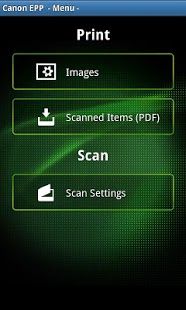
Canon Easy-Photo Print (Canon EPP) is a free application that allows you to easily and wirelessly*1 print photos from Android devices to a compatible Canon PIXMA printer or a Canon compact photo printer SELPHY via a local wireless network (Wi-Fi). Supported printer models are listed below.
You can wirelessly scan*2 and save images from a PIXMA multifunction printer to your Android device.
In addition, you can wirelessly print PDF files created with Canon EPP to a PIXMA or SELPHY printer.
Key features
-Easily select from a wide range of paper types and sizes.
-Select multiple photos from your Android devices and print up to 39 copies at a time.
-Supports both bordered and borderless photo printing.
-Scan with a compatible PIXMA All-In-One printer and save the data to your Android devices as PDF or Jpeg.
-Directly print PDF files created with Canon EPP on Android devices.
*1. Requires access point to connect the device and PIXMA or SELPHY printer.
*2. Scanning function is supported by MG, MX and MP series of PIXMA multifunction printers.
Android version 1.6 or later
Supported printers
Canon Inkjet Printers
PIXMA MG3500 Series, PIXMA MG5500 Series, PIXMA MG6400 Series, PIXMA MG6500 Series, PIXMA MG7100 Series, PIXMA MX920 Series, PIXMA MX720 Series, PIXMA MX520 Series, PIXMA MX450 Series, PIXMA MG6300 Series, PIXMA MG5400 Series, PIXMA MG4200 Series, PIXMA MG3200 Series, PIXMA iP7200 Series, PRO-10 Series, PRO-100 Series, PIXMA MX890 Series, PIXMA MX710 Series, PIXMA MX510 Series, PIXMA MX430 Series, PIXMA MG8200 Series, PIXMA MG6200 Series, PIXMA MG5300 Series, PIXMA MG4100 Series, PIXMA MG3100 Series, PIXMA MX880 Series, PIXMA MX420 Series, PIXMA MX410 Series, PIXMA MG8100 Series, PIXMA MG6100 Series, PIXMA MG5200 Series, PIXMA MP495/MP499, PIXMA MX870 Series, PIXMA MX350 Series, PIXMA MX340 Series, PIXMA MP990 Series, PIXMA MP640 Series and PIXMA MP560 Series
Canon Compact Photo Printer
SELPHY CP900, SELPHY CP910
------------------------------
Canon PIXMA Inkjet Printer
Available printer settings
-Paper size: Letter (8.5""x11"" 21.59x27.94 cm)*3, A4*3, A5, 4""x6"" (10.16 x 15.24 cm)*3, 5""x7"" (12.7x17.78 cm), 8""x10"" (20.32x25.4 cm), A3*4, A3+ (13""x19"" 32.9x48.3 cm )*4, 10""x12"" (25.4x30.48 cm)*4
-Media type: Plain Paper*3, Photo Paper Plus Glossy II*3, Photo Paper Pro Platinum, Photo Paper Plus Semi-gloss, Photo Paper*3
-Bordered/ Borderless print
*3. PIXMA MG3200 Series, PIXMA MG3100 Series, PIXMA MP495 and PIXMA MP499 support only these paper types and sizes.
*4. PIXMA PRO-10 and PIXMA PRO-100 only
------------------------------
Canon SELPHY Compact Photo Printer
Supported paper sizes
-Postcard Size, L Size and Card Size
Print settings
-Bordered/ Borderless print
------------------------------
About Canon Easy-PhotoPrint
The company that develops Canon Easy-PhotoPrint is Canon Inc.. The latest version released by its developer is 2.4.0.
To install Canon Easy-PhotoPrint on your Android device, just click the green Continue To App button above to start the installation process. The app is listed on our website since 2013-07-15 and was downloaded 0 times. We have already checked if the download link is safe, however for your own protection we recommend that you scan the downloaded app with your antivirus. Your antivirus may detect the Canon Easy-PhotoPrint as malware as malware if the download link to jp.co.canon.bsd.android.aepp.activity is broken.
How to install Canon Easy-PhotoPrint on your Android device:
- Click on the Continue To App button on our website. This will redirect you to Google Play.
- Once the Canon Easy-PhotoPrint is shown in the Google Play listing of your Android device, you can start its download and installation. Tap on the Install button located below the search bar and to the right of the app icon.
- A pop-up window with the permissions required by Canon Easy-PhotoPrint will be shown. Click on Accept to continue the process.
- Canon Easy-PhotoPrint will be downloaded onto your device, displaying a progress. Once the download completes, the installation will start and you'll get a notification after the installation is finished.
Program Details
System requirements
Download information
Pricing
Version History
version 2.4.0
posted on 2013-07-15
version 2.3.0
posted on 2012-12-20
Several fixes and updates
Disclaimer
External Download
We do not host Canon Easy-PhotoPrint on our servers. We did not scan it for viruses, adware, spyware or other type of malware. This app is hosted by Galad and passed their terms and conditions to be listed there. We recommend caution when installing it.
The APK Download link for Canon Easy-PhotoPrint is provided to you by apps112.com without any warranties, representations or guarantees of any kind, so access it at your own risk.
If you have questions regarding this particular app contact the publisher directly. For questions about the functionalities of apps112.com contact us.
